Every channel. One bright screen.
A bouquet of 48 sample channels, a full programme guide and live TV that plays on your phone, laptop and television. Licensed channels only, in Bangla, English and more.

Prime Spotlight, 8:00 – 9:00 pm
Orbit One · 101
Prime Spotlight
Velvet Plot · 102
River House
Newsfold 24 · 201
Newsfold Hour
Arenacast · 301
Match Day Live
Pipsqueak · 401
Moon Munchkins
Sur Sagar · 501
Evening Raga
Thirty channels, five moods
Pick a mood to see what is on the dial. Each channel shows its number and what it is about.
Orbit One
Mixed shows
HD · CH 101
Velvet Plot
Drama series
HD · CH 102
Tarabela
Bangla serials
HD · CH 103
Cinemoon
Films, 24/7
HD · CH 104
Roshni Plus
Family evenings
HD · CH 105
Comedy Cove
Sketch & stand-up
HD · CH 106
Newsfold 24
Live news
HD · CH 201
Meridian Live
World desk
HD · CH 202
Khobor Ghor
Bangla bulletins
HD · CH 203
Marketline
Business & prices
HD · CH 204
Weather Wing
Sky & rivers
HD · CH 205
Citizen Desk
Talk & debate
HD · CH 206
Arenacast
Live matches
HD · CH 301
Fieldnine
Football, all week
HD · CH 302
Boundary TV
Bat & ball
HD · CH 303
Court & Track
Tennis, athletics
HD · CH 304
Replay Room
Highlights
HD · CH 305
Sport Talk
Studio debate
HD · CH 306
Pipsqueak
Ages 3 to 6
HD · CH 401
Little Lantern
Bedtime stories
HD · CH 402
Toon Tide
Cartoons
HD · CH 403
Learn Loop
School help
HD · CH 404
Story Swing
Read-alouds
HD · CH 405
Colour Club
Art & craft
HD · CH 406
Sur Sagar
Bangla music
HD · CH 501
Folk Fire
Folk & baul
HD · CH 502
Beatbox 24
Pop & indie
HD · CH 503
Spice Table
Cooking shows
HD · CH 601
Wild Earth
Nature films
HD · CH 603
Roam Atlas
Travel stories
HD · CH 604
All channel names and marks in this demo are fictional. A real platform lists only channels it holds the rights to carry.
See packagesEvery channel, every hour
A full channels-by-time guide. Colour shows the kind of programme; the red line is now.
Sample guide for tonight, Dhaka time. On a phone, swipe the sheet sideways; the channel column stays in place. Reminders and 7-day catch-up are part of the platform.
Watch what is onWatch again, any time
Missed it? Shows from the last seven days wait in catch-up on every screen.
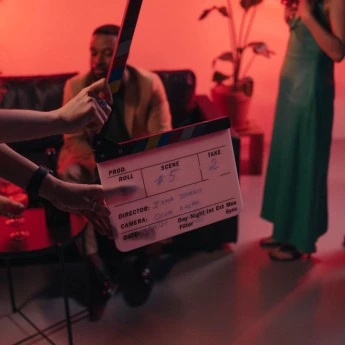
River House, Ep 15: the night of the storm
Velvet Plot, 8:00 pm. Watch again for 7 days.
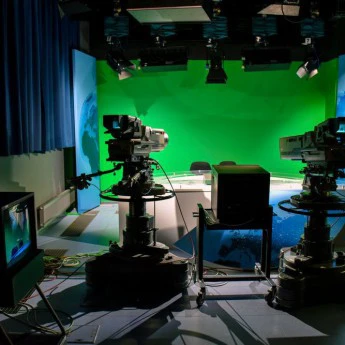
Newsfold Hour: tonight's full programme
Newsfold 24, 8:00 pm, with the world desk at 9:30.

Delta Wild: a season on the river islands
Wild Earth, 8:00 pm. New film every week.

Kitchen Duel: the grand final
Orbit One, 8:30 pm. Two cooks, one pantry.

Watch on the move: Orbitvue on your phone
Open the site, add it to your home screen, press Watch live.
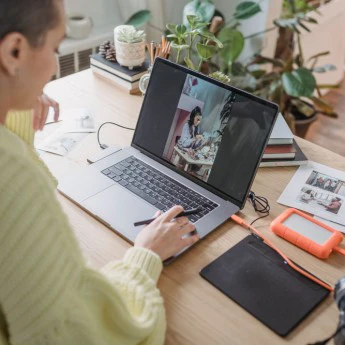
Behind the scenes: how the Orbit Guide is made
A look at the programming desk that plans every evening.
Fictional sample shows for this demo. Every show stays in catch-up for seven days after it airs.
All showsThree ways to tune in
Start small or take the whole bouquet. You can change the tier whenever your home changes.
Spark
Essential channels for one person.
30
channelsOrbit
The whole bouquet for the whole family.
48
channelsPrime
Everything, with live events included.
60
channelsSample tiers for this demo. Channel counts, prices and add-ons are set by the platform owner and shown in the shop. No automatic renewal.
Add what you love
Channel bouquets, themed add-on packs and single-event passes, bought in a minute.
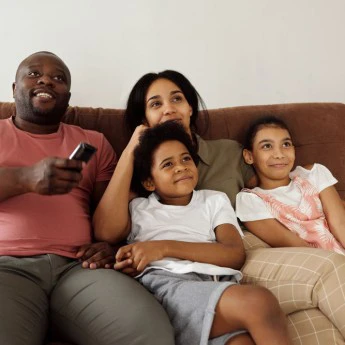
Spark Bouquet, 30 Channels, 1 Month
$ 6
Orbit Bouquet, 48 Channels, 1 Month
$ 12
Prime Bouquet, 60 Channels + Events, 1 Month
$ 18

Bangla Regional Pack, 1 Month
$ 5

Movies Plus Pack, 1 Month
$ 4
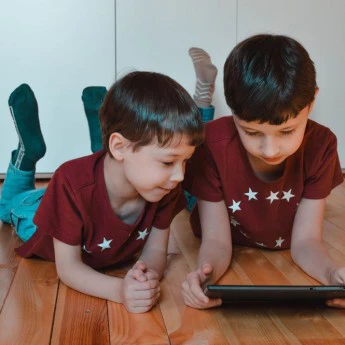
Kids Zone Pack, 1 Month
$ 3
Sample prices for this demo, in US dollars. Passes and add-ons arrive by email within minutes; hardware ships separately. No automatic renewal.
Open the shopOne login, five screens
Start on the sofa, carry on in the kitchen. Orbitvue plays in the browser today and installs like an app on your phone.
Open Orbitvue in your phone browser
Chrome, Safari or any modern browser works. Nothing to download first.
Choose “Add to Home screen”
Use the browser menu. The Orbitvue icon appears next to your other apps.
Tap the icon and press Watch live
It opens full screen, with no address bar, and remembers where you stopped.
Android app
Coming soon
iPhone app
Coming soon
Smart TV app
Coming soon
Built for the whole home
48
Sample channels
In five moods, Bangla, English and more.
7
Days of catch-up
Missed it? Watch it again.
5
Screens at once
On the Orbit and Prime tiers.
1
Licence per channel
We carry licensed channels only.
★★★★★
The guide is the first thing I open. I can see the whole evening in one swipe and set what the kids watch.
Nusrat A.
Parent, Dhaka (sample)
★★★★★
Abroad for work, I still get my Bangla music and news channels on the phone, with no box and no dish.
Arif M.
Engineer, Doha (sample)
★★★★★
We run the lobby screen from one login. Staff pick the channel; guests never touch a remote.
Shapla R.
Café owner, Sylhet (sample)
Licensed, or not on the dial
Every channel on Orbitvue is carried with the owner’s permission. If you own a channel, we ask for proof of rights and agree the terms in writing.
Channel owners, resellers and advertisers: tell us what you need. We reply with a clear plan. No payment on this form.
Plain answers
Watching, data, licences and adding a channel.
How do I watch live?
Press Watch live on the player at the top of the page. The player loads only when you press it, so the page stays light. It works on phones, tablets, laptops and TVs with a browser.
Do I need a set-top box or a dish?
No. Orbitvue streams over your internet connection. A smart TV with a browser, or a phone cast to a TV, is enough.
How much data does it use?
It depends on the quality your connection allows: roughly 0.3 GB an hour in data-saver mode and about 1 GB an hour in HD. The player adjusts by itself.
Can I watch from abroad?
Yes, for channels whose owners allow it. Each channel shows where it can be watched; rights differ by country.
Is the live picture in this demo real?
No. This demo uses a public test stream so you can try the player. Your own platform’s stream address replaces it. All channels, shows and names here are fictional.
How do I add my channel?
Use the partner form above. We ask for proof of rights, agree the terms in writing and then set up the stream with you.